Origin IP Discovery Techniques: How Attackers Bypass WAF Protections
A practical recon guide to finding a target's origin IP behind Cloudflare and other WAFs — DNS history, favicon hashes, Shodan, certificate matches, and verification.
Originally published on Medium.
Last updated: 28 Aug 2026
In this blogpost i’ll be sharing with you some of the ways to find the Origin ip of a website behind a CDN
Disclaimer: This guide is strictly for educational purposes and authorized testing . Please use ethically.
One of the biggest hurdles in modern web hacking is the Web Application Firewall (WAF). Services like Cloudflare or Cloudfront sit in front of the application, hiding the actual server IP (the “Origin IP”) and filtering your attacks. However, if you can uncover the Origin IP, you can bypass the WAF entirely, leaving the application vulnerable to direct testing.
Here is a breakdown of some methods to help you discover these hidden IPs, ranging from simple recon to advanced tracking.
Phase 1: Basic Identification & DNS Enumeration
Before getting complex, check if the information is lying in plain sight.
1. WAF Identification with Wappalyzer/Sodan
First, confirm what you are up against. Use the Wappalyzer/Shodan browser extension. If it lists “Akamai” or “Cloudflare” under CDNs, you know the direct IP is likely masked.
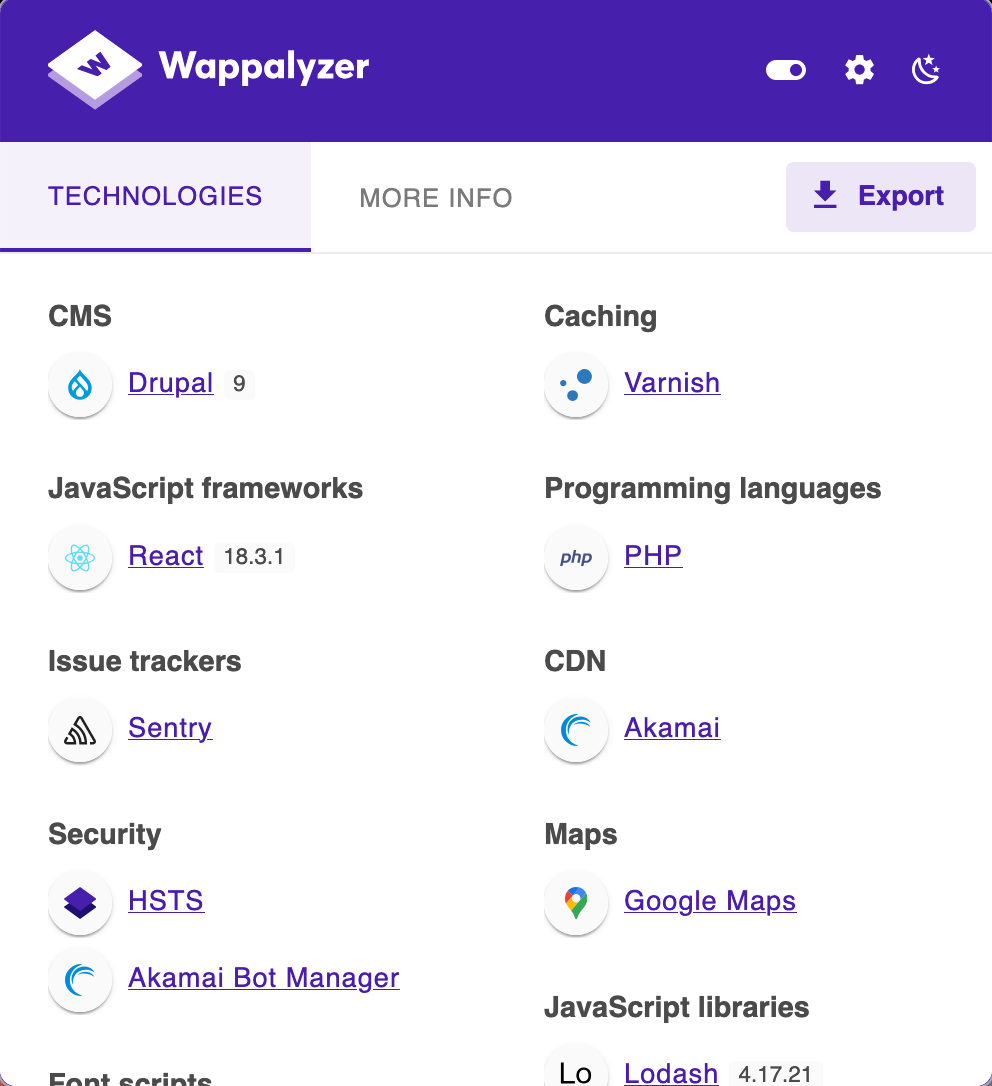
wapplyzer extension capture of www.tesla.com
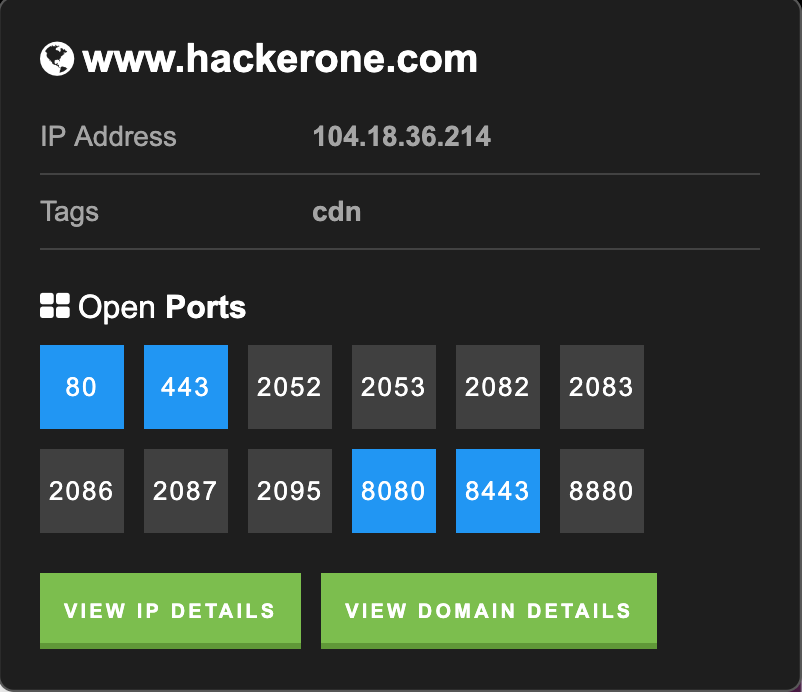
shodan extension capture of hackerone behind Cloudflare
2. The Ping Test
Sometimes, a misconfiguration means the domain resolves directly to the origin.
- Open your terminal and run .
ping target.com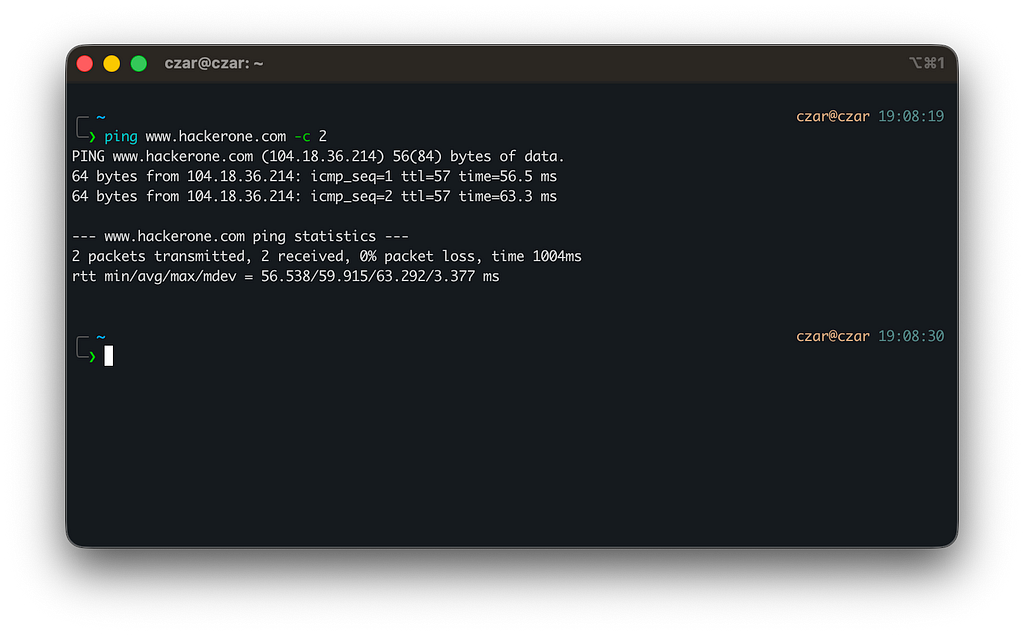
ip resolves to Cloudflare
- If the IP resolves to a generic cloud provider range (like AWS Cloudfront IPs), you are hitting the WAF. If it looks like a dedicated VPS IP, you might already have the origin.
3. Reverse DNS Lookup (DNSRecon)
Use the dnsrecon tool to check for reverse DNS records.
dnsrecon -d target.comWhile this often returns WAF nameservers, you may occasionally find a server that leaks the direct hosting provider’s IP.
Phase 2: Search Engine Discovery (Shodan, Censys, etc.)
Search engines that scan the entire internet often index the origin server before (or after) it was put behind a WAF.
4. Shodan Direct Search & Dorks
Search Shodan for the domain name.
- Manual Check: Look through the IP results. If you find an IP that lists the target organization in the SSL certificate or server headers, it’s a candidate.
Ssl.cert.subject.CN:"tesla.com" 200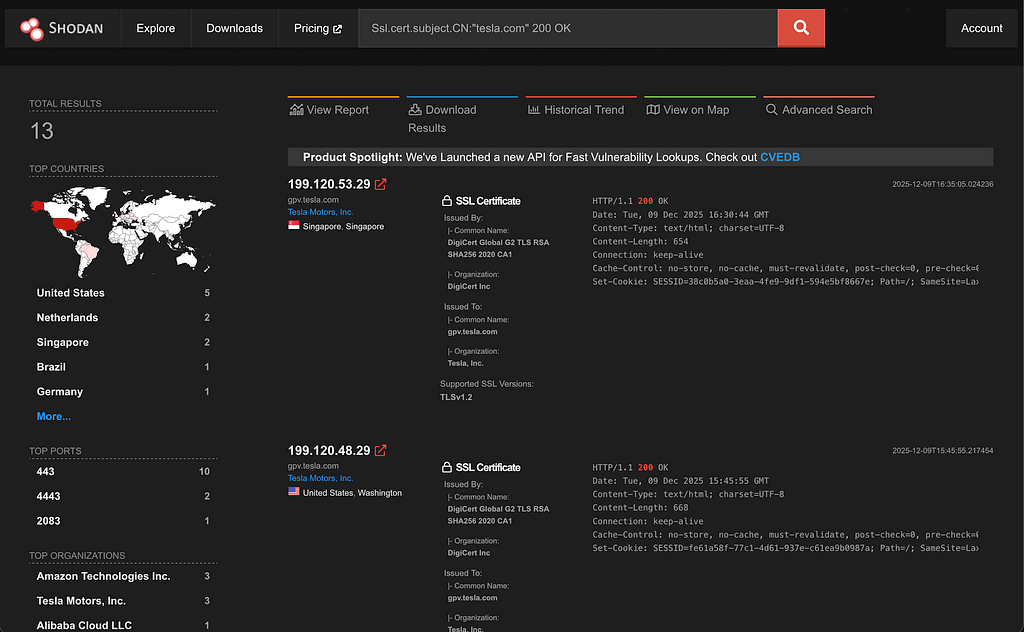
5. SSL Certificate Matching
If you find a suspicious IP on Shodan, verify it by checking its SSL certificate. The origin server usually holds the valid certificate for the domain.
Command:
nmap --script ssl-cert -p 443 <Candidate_IP>If the “Subject” field matches your target domain (e.g., commonName=target.com), you likely have the origin.
Phase 3: The Favicon Hash Method
This is often the most reliable method. WAFs mask the IP, but they serve the same Favicon (the small browser tab icon) as the origin server.
6. Generate the Favicon Hash
- Go to target.com/favicon.ico.
- Use a script or online tool to generate the MurmurHash3 (MMH3) or MD5 hash of that image file.
Get the favicon hash of a website for Shodan hunting
Paste the favicon url and click on one of the search buttons
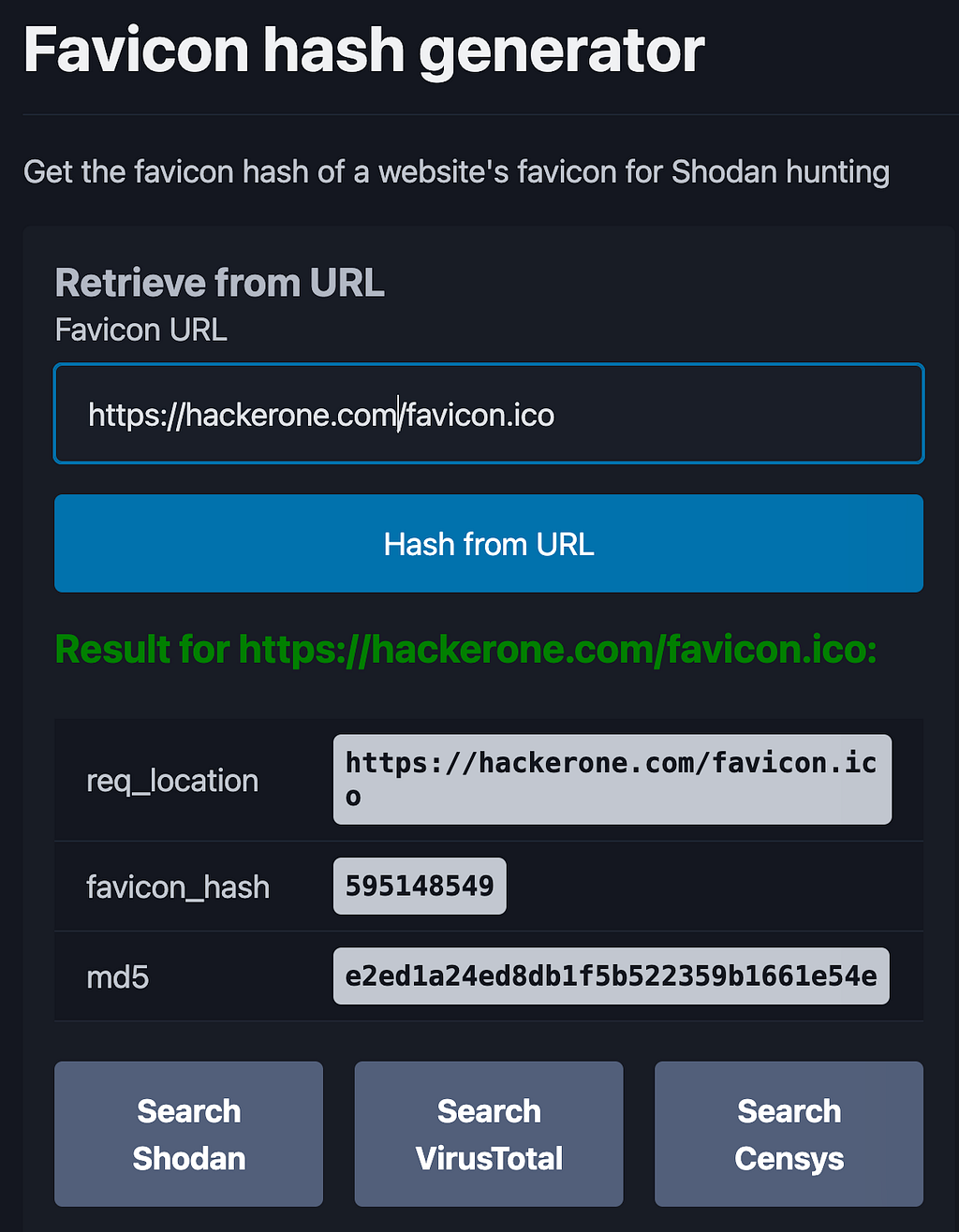
Or plug that unique hash into internet scanners to find every IP hosting that exact icon.
- Shodan/Shodan-CLI:
http.favicon.hash:<your_hash>shodan search Ssl.cert.subject.CN: "target.com" 200 --fields ip_str | httpx-toolkit -sc -title -server - td- Censys: Search the hash to find IPv4 hosts.
services.http.response.favicons.md5_hash:<md5_hash>- Fofa: Use the syntax
icon_hash="<hash>"Phase 4: Historical Data Analysis
If the website wasn’t always behind a WAF, historical records will remember the old IP.
8. ViewDNS.info (IP History)
Visit ViewDNS.info and use the “IP History” tool. Input the domain to see a list of every IP address the domain has ever resolved to. Test the older IPs; developers often forget to decommission the old direct access points.
https://viewdns.info/iphistory/?domain=<domain.com>
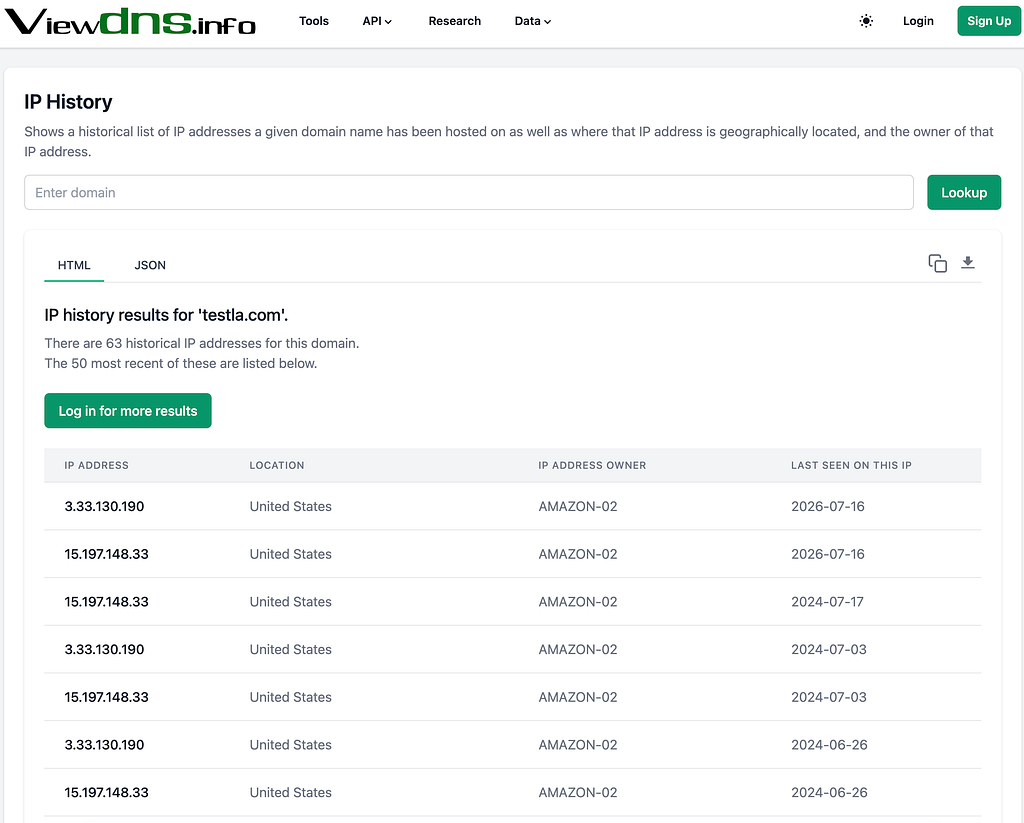
viewdns historical ips of tesla.com
make sure that the IP ADDRESS OWNER is not cloudflare/amazon… or any cdn
9. SecurityTrails
Similar to ViewDNS, SecurityTrails offers a “Historical Data” tab. It provides a timeline of A records. Look for IPs that existed before the current WAF IPs appeared.
Phase 5: Automated Enumeration & Scripts
For large-scale scans, manual checking is too slow.
10. Automation: VirusTotal & AlienVault with One-Liners
Lets use a one-liners to pull resolution data from threat intelligence APIs.
VirusTotal:
URL
https://www.virustotal.com/vtapi/v2/domain/report?apikey=<your_api_key>&domain=example.comone-liner command
curl -s "https://www.virustotal.com/vtapi/v2/domain/report?domain=nasa.gov&apikey=<api_key>" \
  | jq -r '.. | .ip_address? // empty' \
  | grep -Eo '([0-9]{1,3}\.){3}[0-9]{1,3}' \
  | sort -u \
| httpx-toolkit -sc -td -server -title- The “Unique IP” Script: Create a bash script that:
- Fetches data from VirusTotal/AlienVault.
- Extracts all IPs.
- Sorts them and removes duplicates (sort -u).
- Pipes the result into httpx to check which ones are actually alive (returning 200 OK or 403 Forbidden)
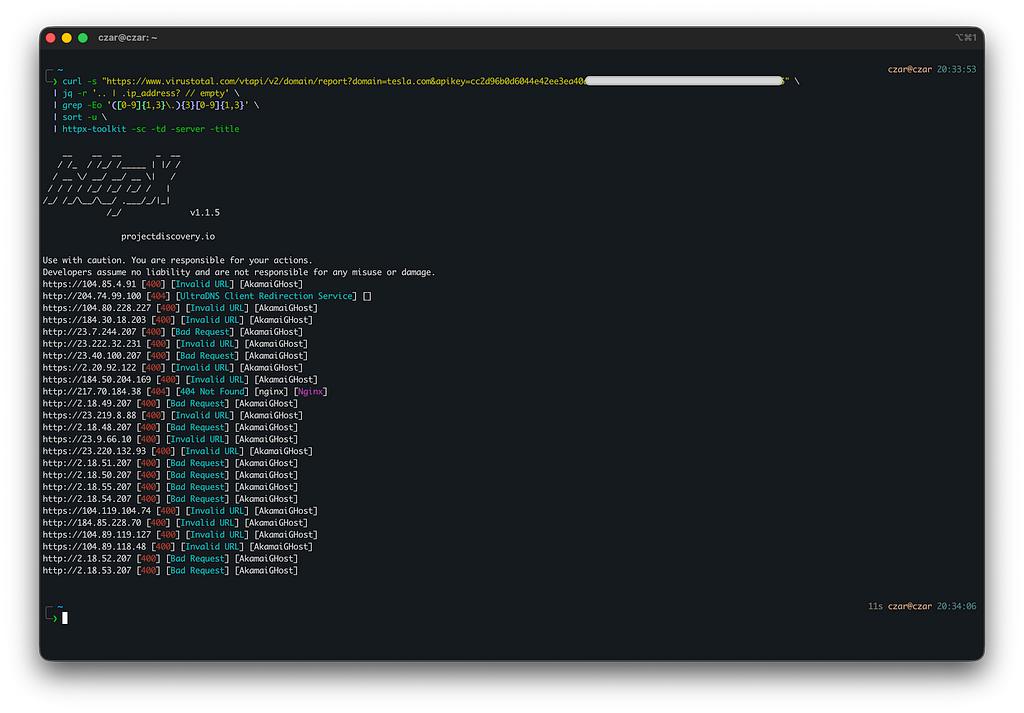
output of the command
AlienVault :
curl -s "https://otx.alienvault.com/api/v1/indicators/hostname/dell.com/url_list?limit=500&page=1" | jq -r '.url_list[]?.result?.urlworker?.ip // empty' | grep -Eo '([0-9]{1,3}\.){3}[0-9]{1,3}'URLScan.io :
curl -s "https://urlscan.io/api/v1/search/?q=domain:dell.com&size=10000" | jq -r '.results[]?.page?.ip // empty' | grep -Eo '([0-9]{1,3}\.){3}[0-9]{1,3}'Phase 6: Verification (Proving It)
Finding an IP is useless if you can’t prove it’s the origin.
11. The “/etc/hosts” Method
This tricks your local computer into thinking the domain resolves to the candidate IP.
- Open Host File: sudo nano /etc/hosts (Linux/Mac) or Notepad (Windows).
- Add Entry: <Candidate_IP> target.com
- Browse: Open your browser and visit target.com.
- Result: If the site loads perfectly and Wappalyzer shows No WAF, you have successfully bypassed the firewall.
If you have reached here , yoou’re awesome ! Thanks for reading , hope you’ve learned something new . Catch you in the next one .peaace !